A Very Fishy UV Map

Generating a hemisphere model in Blender with properly spaced UVs for fisheye dome masters.

UVs are texture coordinates. An image plane 3D model would be measured in X and Y coordinates. The image texture applied to that model would be measures in U and V coordinates.

I frequently need to apply fisheye images to a virtual dome within Blender. Sometimes I’m prototyping, sometimes I’m building a scene with a dome in it, sometimes I’m splitting the dome into parts for special effects in the planetarium.

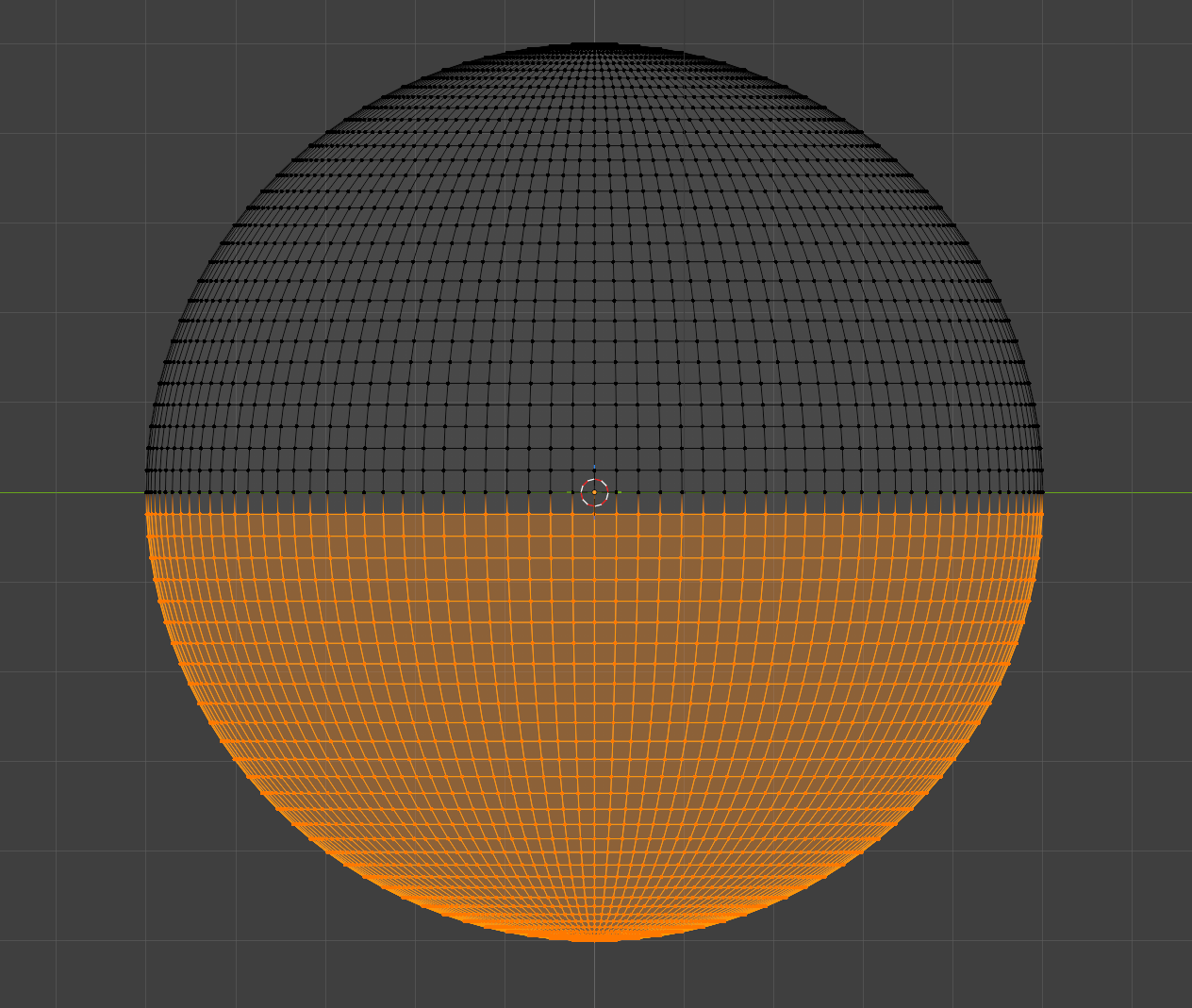
The quickest way has always been to create a UV Sphere and delete the bottom half.
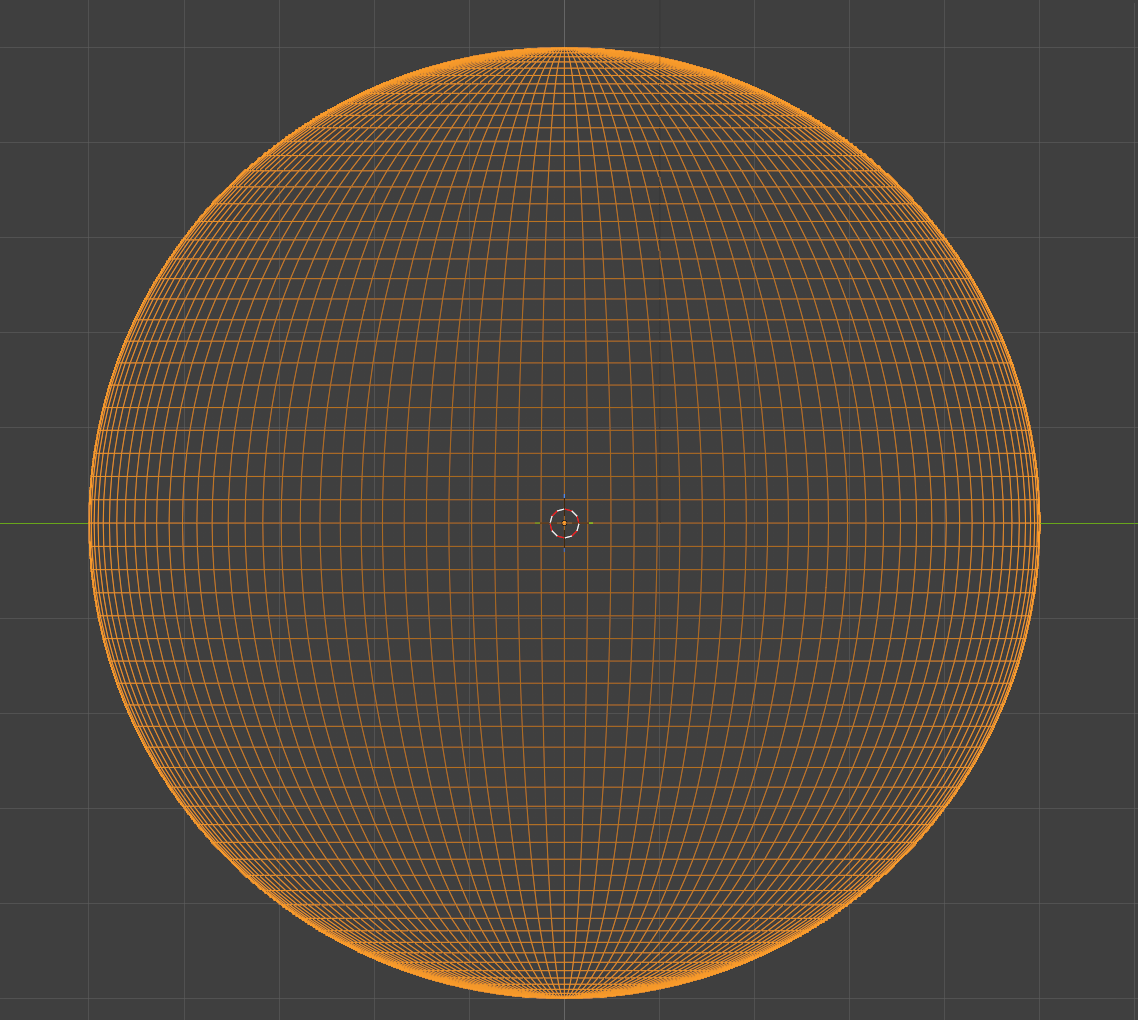
Orange wireframe sphere wireframe sphere, bottom half orange

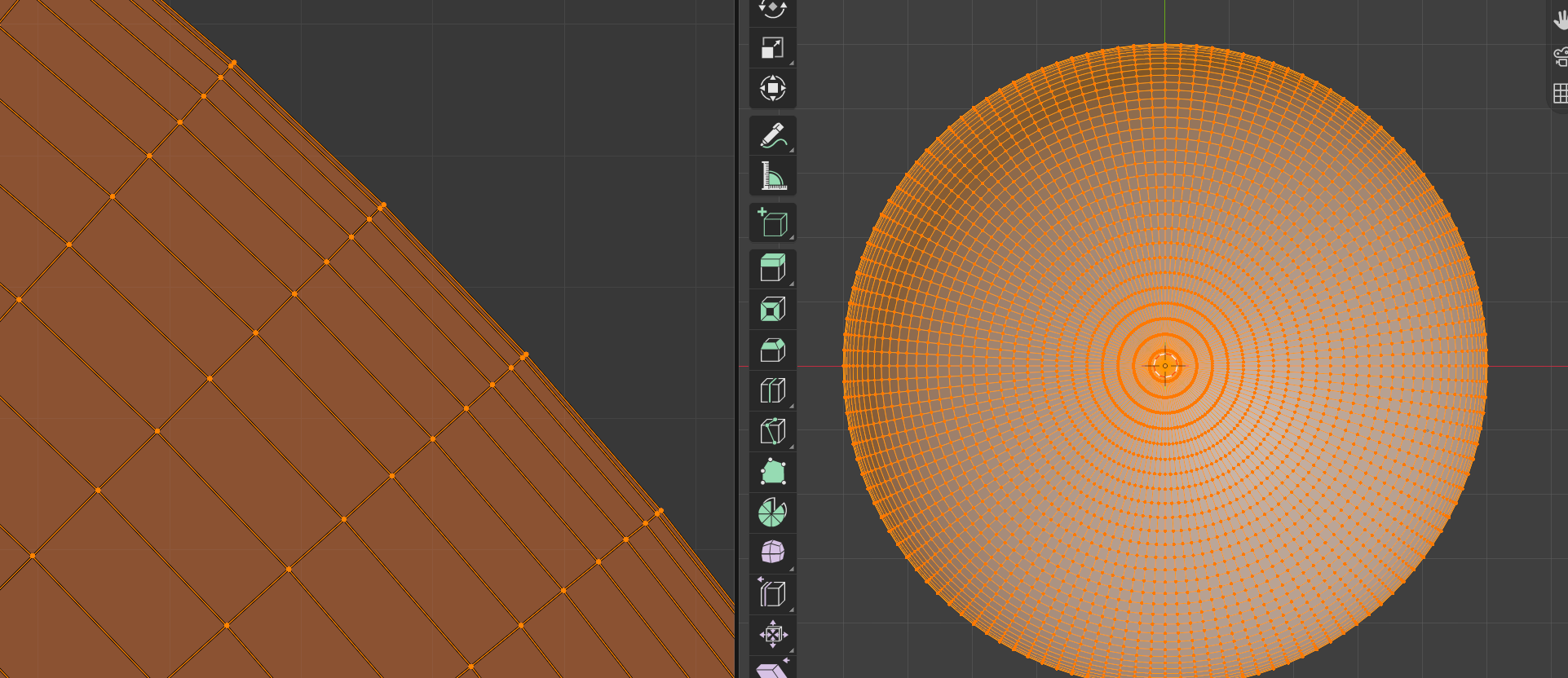
This results in a nice looking hemisphere, but we can’t apply a fisheye, since the UV map is half of what was created for the full sphere..
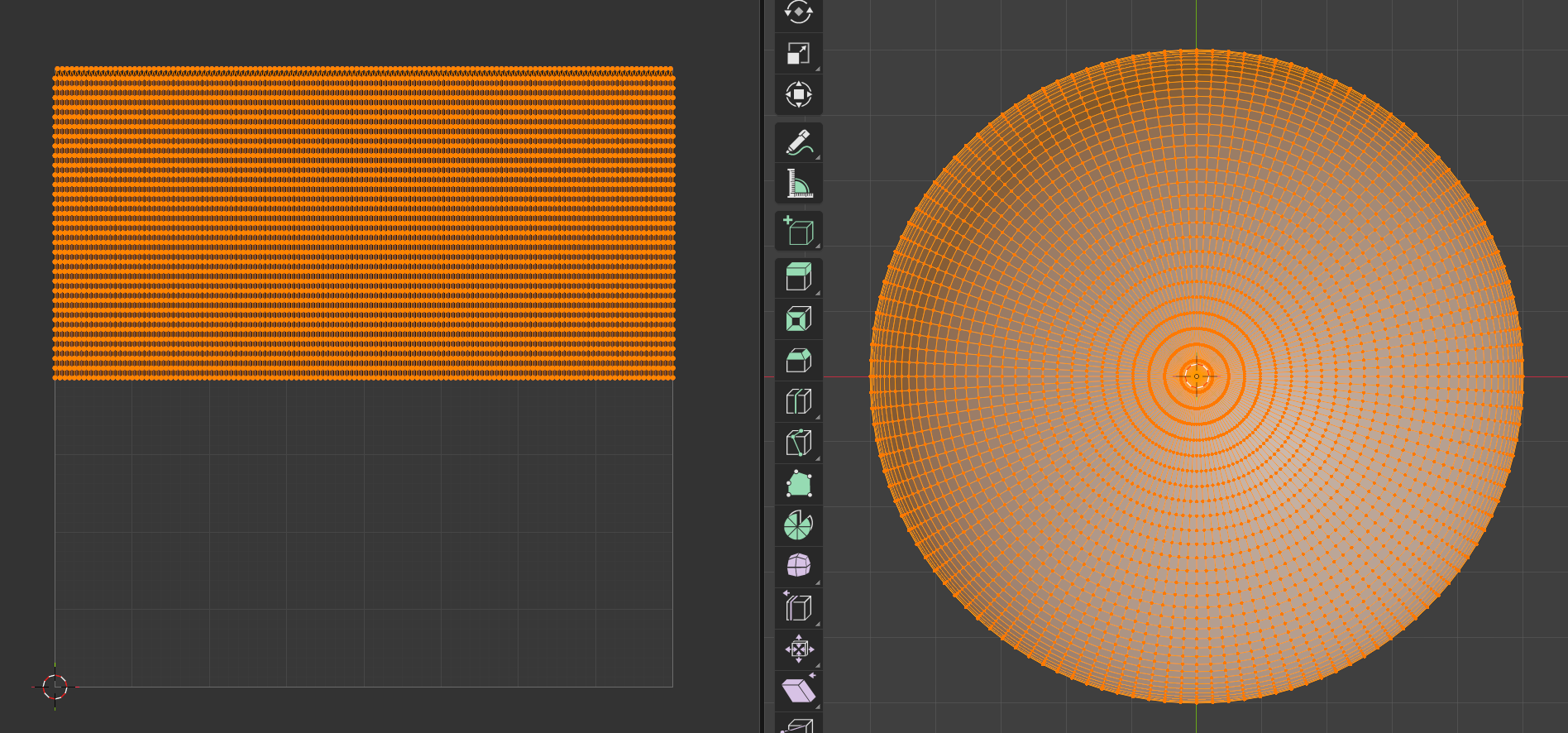
wireframe rectangle on left, wireframe hemisphere on right

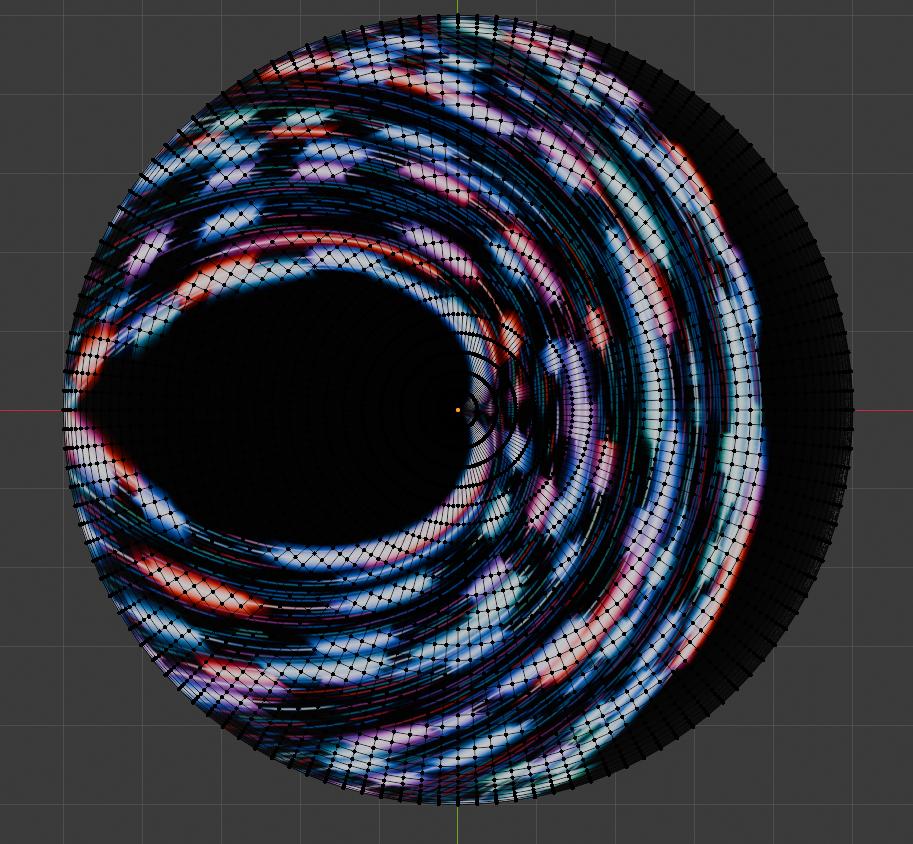
Applying an image to the map yields a fun result, but not what we want..
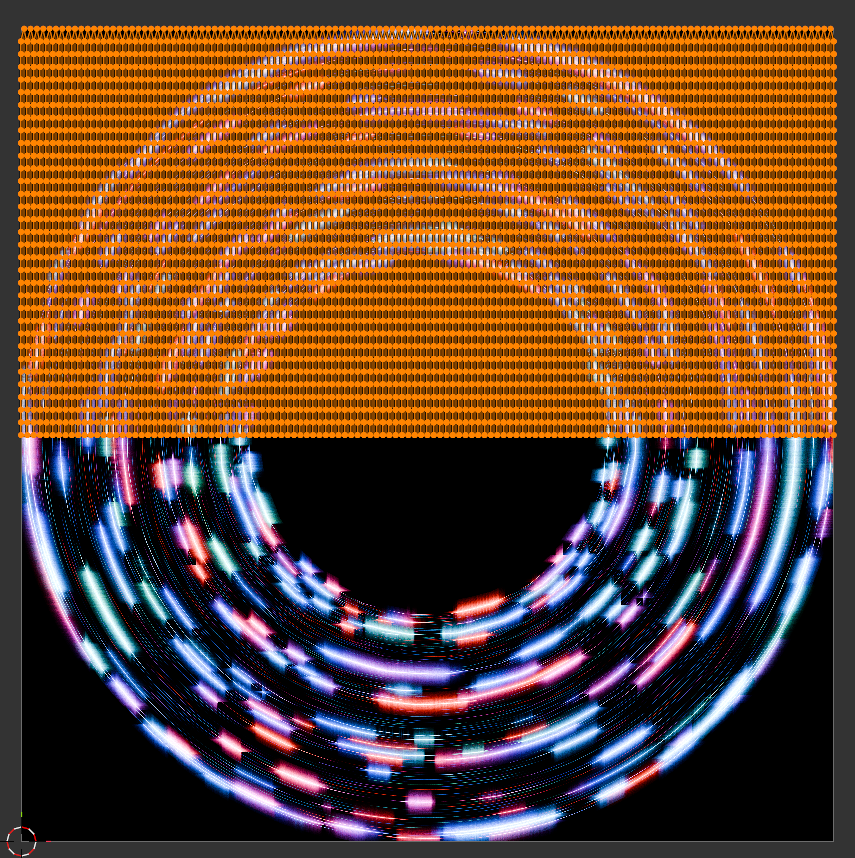
Abstract image within a circle

Of course, a new UV map is required:

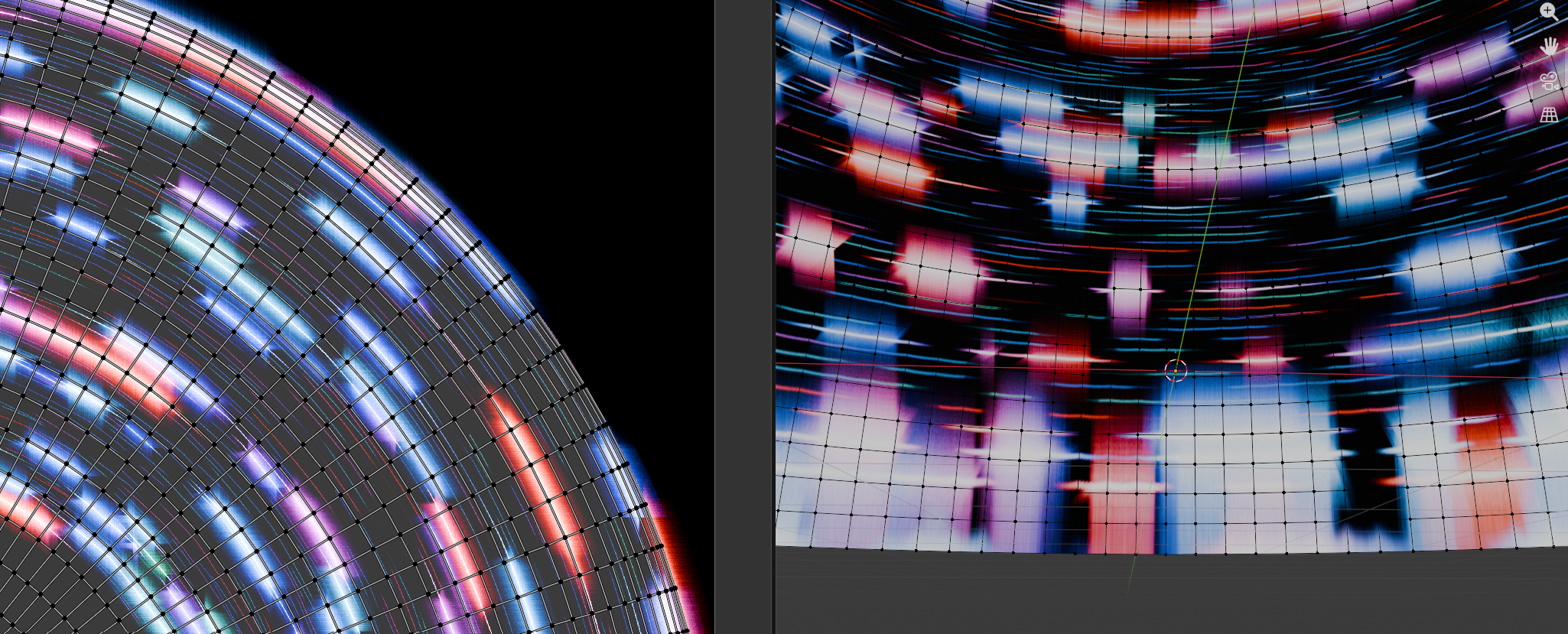
By unwrapping the hemisphere model, we can create a closer UV map..
But the rings toward the edges get closer together, and this causes distortion at the edges of the hemisphere..
After giving up on getting Gemini to help me extract a proper map from a UV hemisphere, I asked Gemini to write my a python script with 3 parts:

  1. Create a flat circle with equally spaced rings
  2. Unwrap the model to get a lovely UV map
  3. Reposition the vertices of the circle to form the hemisphere.

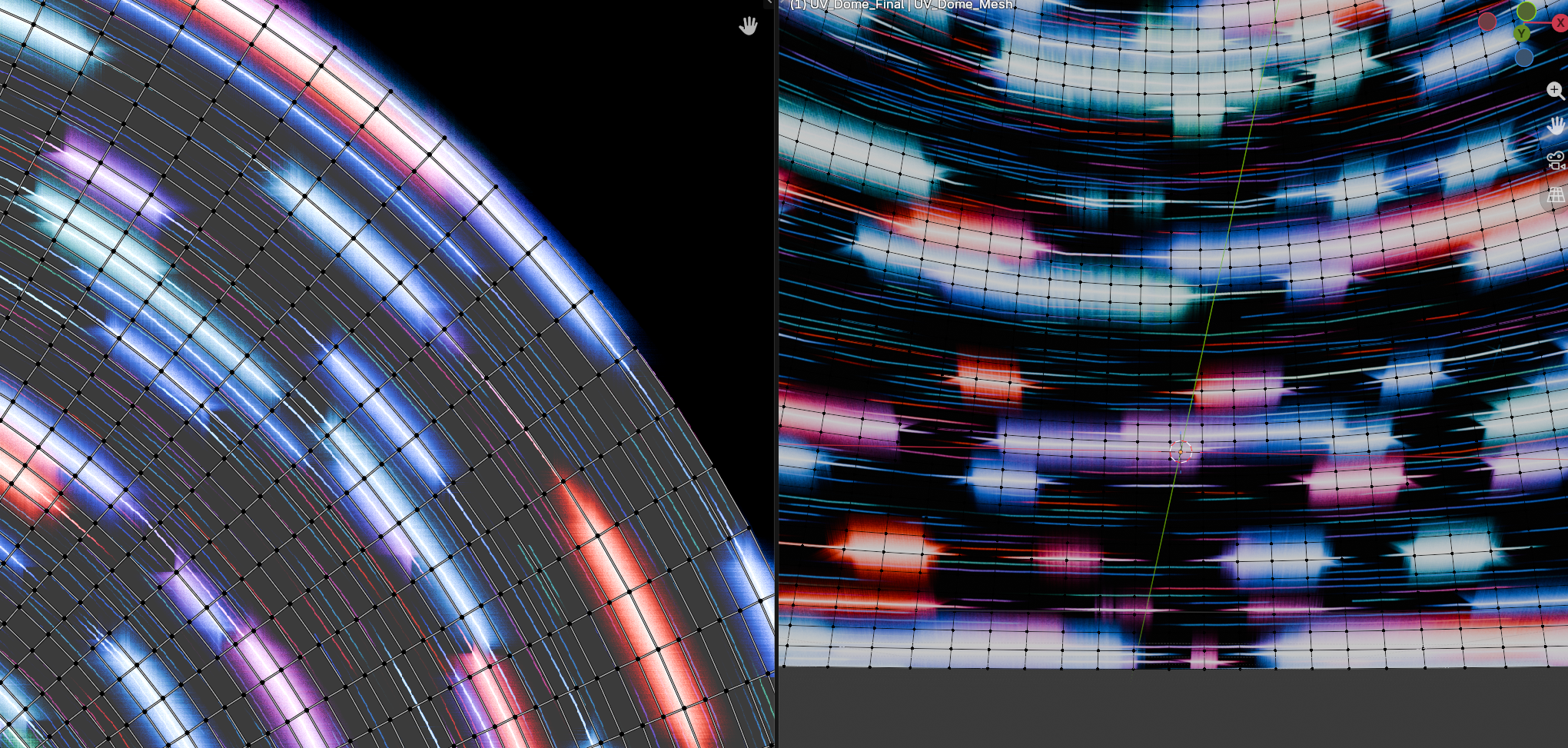
It worked! And just look at the spacing on this lovely UV map…
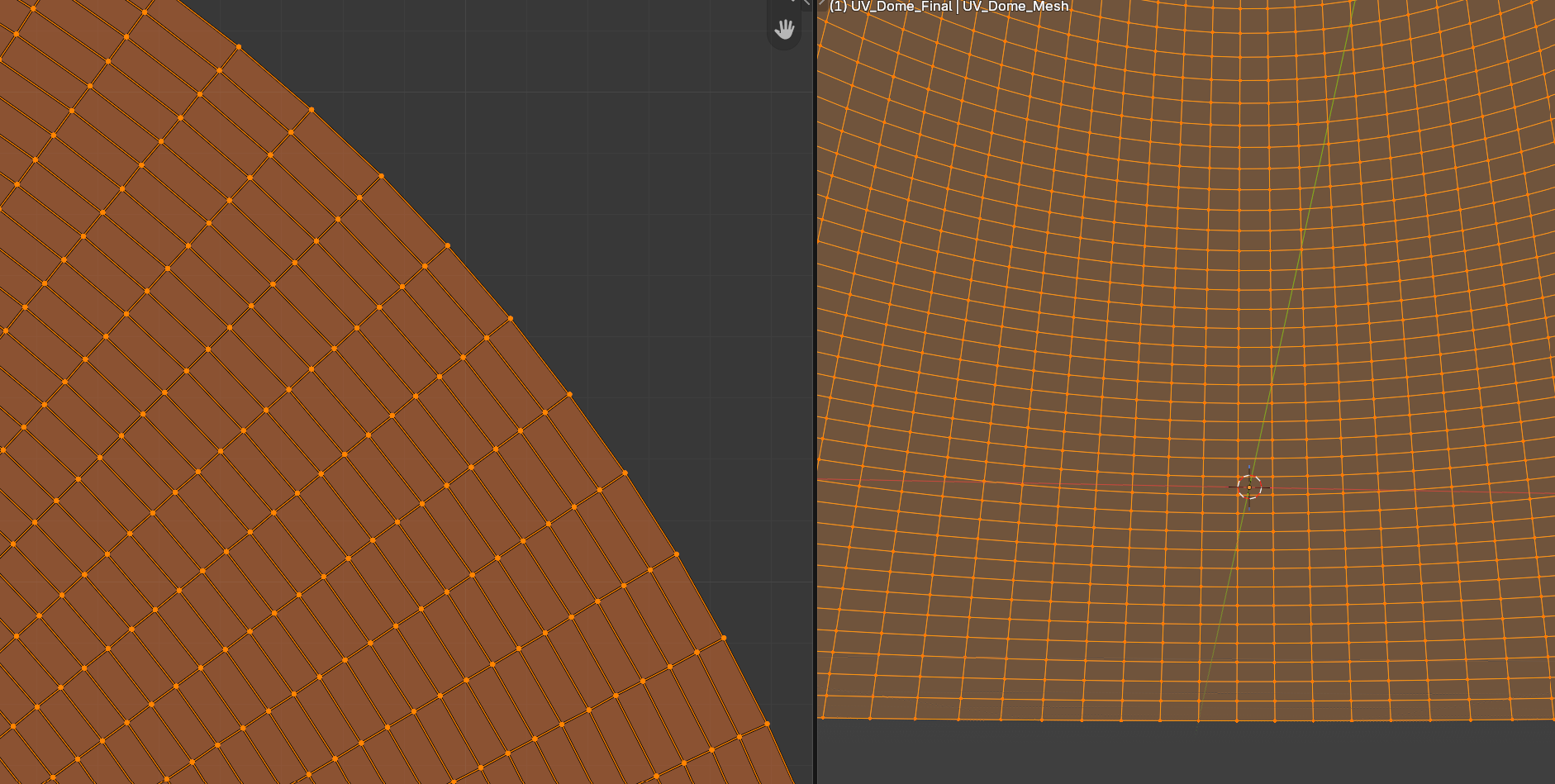
And the same image texture applied.. just look at those edges.

The script can be downloaded here: UV_Dome_Generator_for_Good_UVmap.py

For the script, example blend file, an exported fbx model, and summaries of the method and the several wrong turns it took before I thought to make a circle first, go to https://github.com/waystar/Blender-UV-dome-generator.
It has been a minute

I’m still around, and hope to start posting new content and samples of things I’ve been up over the past 5 years.

Published
Categorized as news

Episode 14: Chandra Models and VR stuff

FOSSdome
FOSSdome
Episode 14: Chandra Models and VR stuff
Loading
/

A few updates and some cool Chandra X-ray Observatory stuff!

Links mentioned in the episode:

Museum & Informal Education Alliance https://informal.jpl.nasa.gov/museum/

Kim Arcand https://www.kimarcand.com/

Walking Among the Stars (VR stuff) https://chandra.cfa.harvard.edu/vr/

Chandra 3D models https://3d.si.edu/collections/Chandra

PPA Youtube channel https://www.youtube.com/channel/UC-pfVOHnkvAV_fdnKLdqzwA/videos

Stellarium Landscape zip files for easy installation https://github.com/waystar/StellariumLandscapes/releases/tag/v1.1

JunoCam Citizen Science

My first attempt at Citizen Science on display in the dome!

A few weeks ago, I watched this video, produced by the Griffith Observatory a year ago:

As in the demonstration video I watched, I used Gimp. Of course I could have used Krita, but Gimp is my go-to since I’m so familiar with it.

First I downloaded set of images from 2021-07-21 Perijove 35:

https://www.missionjuno.swri.edu/junocam/processing?id=11074

I opened the three color PNGs as layers and colorized them accordingly.

Then I played around with the individual layers’ brightness and contrast settings, then combined using Screen as the blend mode.

After I got the colors close to how I liked them, I used the G’Mic Tone Sharpening to bring out the detail.  (https://gmic.eu/index.html)

Before tone sharpening
After tone sharpening

I spent very little time on it, about 25 minutes total. I’m pleased with it and look forward to showing others how to make their own.

Episode 13: Open Source Information – Focus on Books

FOSSdome
FOSSdome
Episode 13: Open Source Information - Focus on Books
Loading
/

An update on what I’ve been up to, followed by some useful sources for open textbooks.

Links mentioned in the episode:

The Changelog: Open source goes to Mars  https://changelog.com/podcast/440 

Learning with Python: How to Think Like a Computer Scientist by Allen Downey   https://greenteapress.com/wp/learning-with-python/

Python for Everybody: Exploring Data in Python 3 by Chuck Severance   https://www.py4e.com/book

Eloquent JavaScript   https://eloquentjavascript.net/

MIT OpenCourseWare  https://ocw.mit.edu/courses/online-textbooks/

OpenStax  https://openstax.org/subjects

Milne Open Textbooks  https://milneopentextbooks.org/

The Missing  Link  https://milneopentextbooks.org/the-missing-link-an-introduction-to-web-development-and-programming/

American Institute of Mathematics  https://aimath.org/textbooks/approved-textbooks/

Games and Puzzles  http://www.artofmathematics.org/books/games-and-puzzles

Green Tea Press  https://greenteapress.com/wp/

OER Commons  https://www.oercommons.org/

Open Textbooks Library  https://open.umn.edu/opentextbooks/

Introduction to Permaculture  https://open.umn.edu/opentextbooks/textbooks/introduction-to-permaculture

Project Gutenberg   https://www.gutenberg.org/

Episode 12: Sources of Free Content

FOSSdome
FOSSdome
Episode 12: Sources of Free Content
Loading
/

Links mentioned in the episode:

NASA 3D resources   https://nasa3d.arc.nasa.gov/ 

The Celestia Motherlode   http://www.celestiamotherlode.net/ 

ESO   https://www.eso.org/public/

ESA/Hubble   https://esahubble.org/

NOIRlab   https://noirlab.edu/public/

NASA Science Visualization Studio   https://svs.gsfc.nasa.gov

NASA Open Data Portal   https://data.nasa.gov/ 

NASA Photojournal   http://photojournal.jpl.nasa.gov

Planetary Data System   https://pds.nasa.gov/

NOAA Science on a Sphere   http://www.sos.noaa.gov/Datasets

USGS Apollo panoramas   http://astrogeology.usgs.gov/maps/moon-apollo-landing-panoramas

The Gateway to Astronaut Photography of Earth   http://eol.jsc.nasa.gov/

Database of Asteroid Models from Inversion Techniques (DAMIT)   https://astro.troja.mff.cuni.cz/projects/damit/

OpenClipArt.org   https://openclipart.org

OpenGameArt.org  https://opengameart.org/

HDRI haven   https://hdrihaven.com/

TextureHaven   https://texturehaven.com/

3DModelHaven   https://3dmodelhaven.com/

Episode 11: FOSS for Video Editing

FOSSdome
FOSSdome
Episode 11: FOSS for Video Editing
Loading
/

This week I followed a rabbit hole that led me to rediscover some projects I’d previously not liked, but now they have the potential to be what I need.

Links from the episode:

unfa channel   https://www.youtube.com/user/unfa00

TechHut channel   https://www.youtube.com/user/TechHutus

TechHut top 10 Linux apps  https://www.youtube.com/watch?v=xeVJydgFKWo

Vokoscreen  https://github.com/vkohaupt/vokoscreenNG

KdenLive  https://kdenlive.org/en/

KDE   https://kde.org/

OpenShot Video Editor   https://www.openshot.org/

ShotCut  https://www.shotcut.org/

Blender  https://www.blender.org/

Natron  https://natrongithub.github.io/

Episode 10: Some Ups and Downs of FOSS for Digital Media

FOSSdome
FOSSdome
Episode 10: Some Ups and Downs of FOSS for Digital Media
Loading
/

And that episode title sounds better than the one I used in the recording. In any case, this week is some rambling from me in which I complain about stuff and complain about complaining about stuff some insightful thoughts on some of the ups and downs of using FOSS.

Links to software projects mentioned:

POV-ray  https://www.povray.org/

Blender  https://www.blender.org/

Gimp  https://www.gimp.org/

Krita  https://krita.org/

Inkscape  https://inkscape.org/

Audacity  https://www.audacityteam.org/

Olive  https://www.olivevideoeditor.org/

Natron  https://natrongithub.github.io/ 

Hugin  http://hugin.sourceforge.net/

QGIS  https://www.qgis.org/

OpenSpace  https://www.openspaceproject.com

WWT  https://worldwidetelescope.org/home/

Episode 9: Resources for Astronomy Art with Blender

FOSSdome
FOSSdome
Episode 9: Resources for Astronomy Art with Blender
Loading
/

This week I chat about some interesting tools and tutorials for using Blender for non-visualization Astronomy stuff.

Links for this week:

Cycles X   https://code.blender.org/2021/04/cycles-x/

Fulldome Production With Blender https://github.com/waystar/2019-Blender-Workshop-Materials

How to make planets in Blender   https://www.youtube.com/watch?v=6224Wisxwxc

Darkfall Shader Library intro  https://www.youtube.com/watch?v=vbj20u53uW8

The Shader Library   https://darkfallblender.blogspot.com/p/the-shader-library.html

Mark Kingsnorth original nebula tutorial (files no longer available, but still good to read) http://www.markkingsnorth.com/2017/01/31/blender-nebula-group-node-tutorial-download/

Mark Kingsnorth Nebula Generator on BlenderMarket https://blendermarket.com/products/nebula-generator

3D Star Map (link to demo version and store in description)  https://www.youtube.com/watch?v=kRshK5qhJDA

Black Hole art from Void_SW on BlenderNation https://www.blendernation.com/2021/05/04/hand-picked-blender-art-4/

Create a Black Hole in Blender – Iridesium   https://www.youtube.com/watch?v=5naMFeWTBeY

Procedural Galaxies in Blender 2.91!  -CBaileyFilm   https://www.youtube.com/watch?v=2XQXI5KownU

Procedural Solar Flare Shader Blender Tutorial!  – CBaileyFilm   https://www.youtube.com/watch?v=k9anTO45bCM

Mustafar Procedural Lava Planet Shader  – CBaileyFilm   https://www.youtube.com/watch?v=LCztNvPGq1w

Episode 8: Some Resources for Astronomy Visualization with Blender

FOSSdome
FOSSdome
Episode 8: Some Resources for Astronomy Visualization with Blender
Loading
/

Another update and a look at some interesting resources for learning to take astronomy data into Blender for visualization. It’s how the magic gets made!

AstroBlend   https://www.astroblend.com/

AstroBlend   https://www.youtube.com/channel/UCAUcA4vXe2IPdnCjBslj6XQ

AstroBlend at 2015 Blender Conference   https://www.youtube.com/watch?v=0vY-sl1oXME

Dr. Jill Naiman   https://www.astronaiman.com/

Dr. Brian Kent   https://www.cv.nrao.edu/~bkent/blender/

Matías Gárate’s  Blender & Astronomy Tutorial. Using Voxel Data for 3D visualization    https://www.youtube.com/playlist?list=PLjFmkbKBKd0WuhhbR2MGPXZyWW7TPcNSw