3D stereoscopic test

Years ago I used Blender to make a stereographic test. It took forever to render a tiny, very low resolution test so I had to drop it at the time. (http://youtu.be/MWpsBb3enek if you want to see it.)
Now it is 2020 and I had some time last week. I couldn’t find the blend file from my original example, so I made a new example, again using Blender.  
Really should be viewed with VR goggles, and you’ll need to tell YouTube to use a higher resolution setting, but the compression wasn’t too kind. Even so, I’m encouraged to continue.

I’m still looking for a way to inject the needed metadata on Linux. I had to do this on a Windows machine because the injector is only for MacOS and Windows.
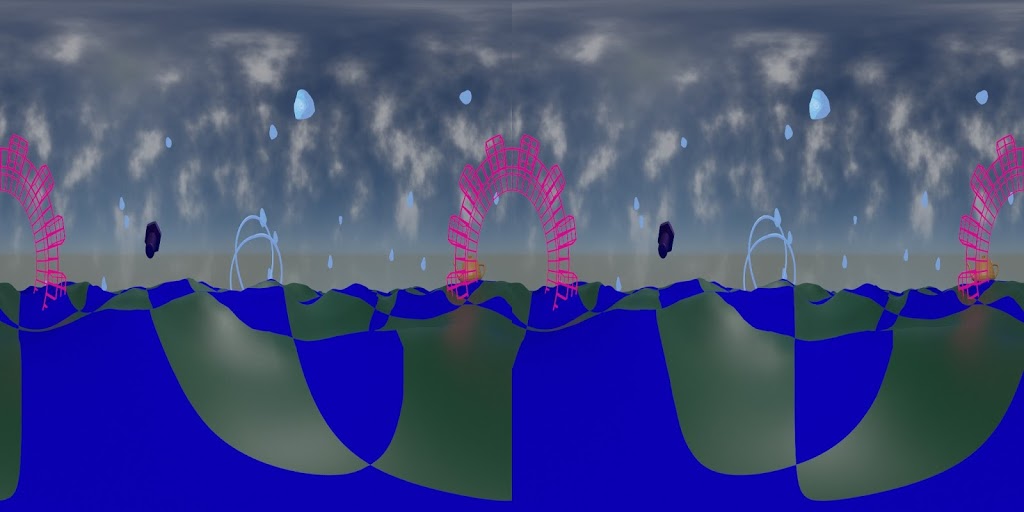
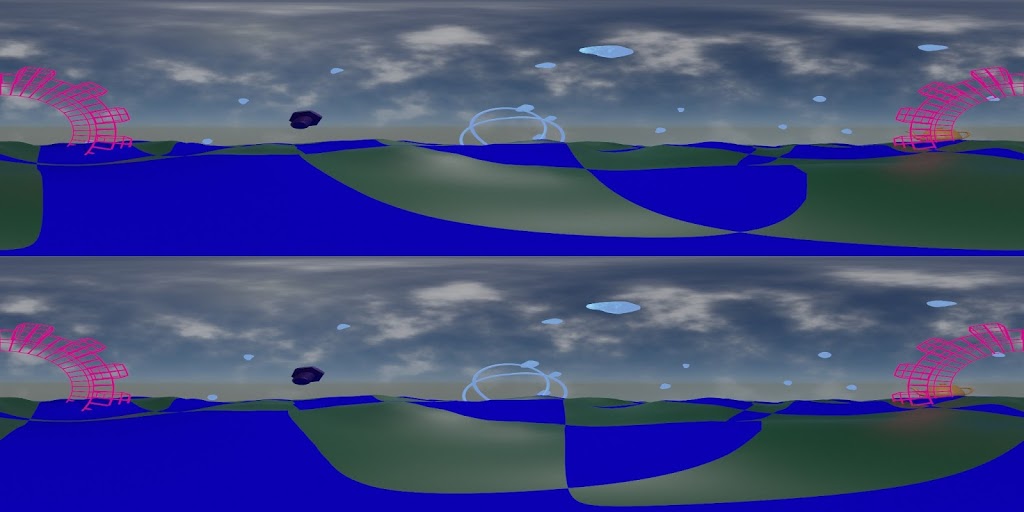
BTW, I had to render this twice because originally I rendered it side-by-side (SBS) but the YouTube Metadata Injector only accepts top-and-bottom (TAB).
Here’s the same frame in each format:
3D stereoscopic test frame, SBS
3D stereoscopic test frame, SBS.
3D stereoscopic test frame, TAB

A stitch in time (or space)

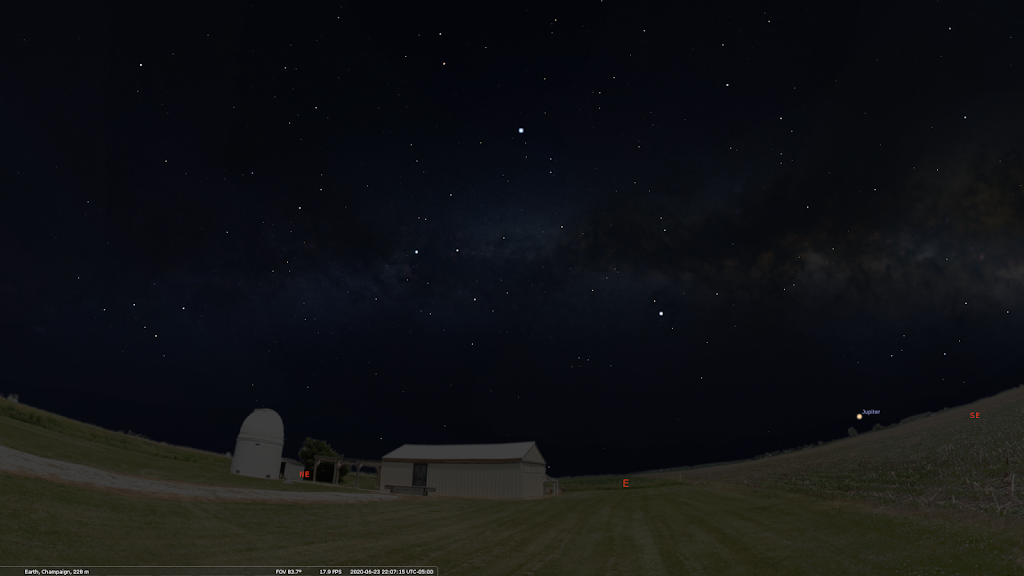
Since the planetarium will be operating online for the foreseeable future, I’ve been working on ways to give everything a nice local touch.

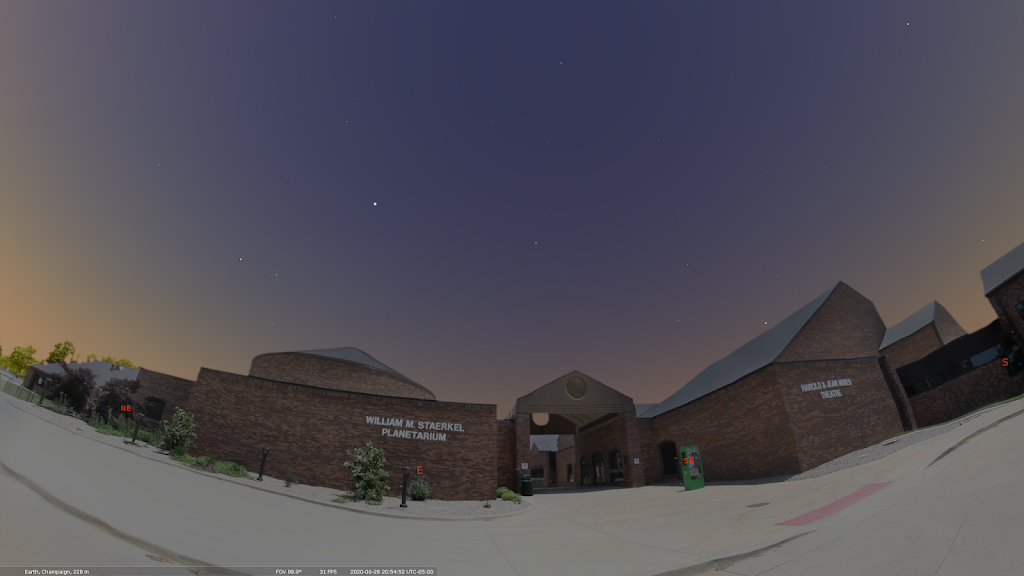
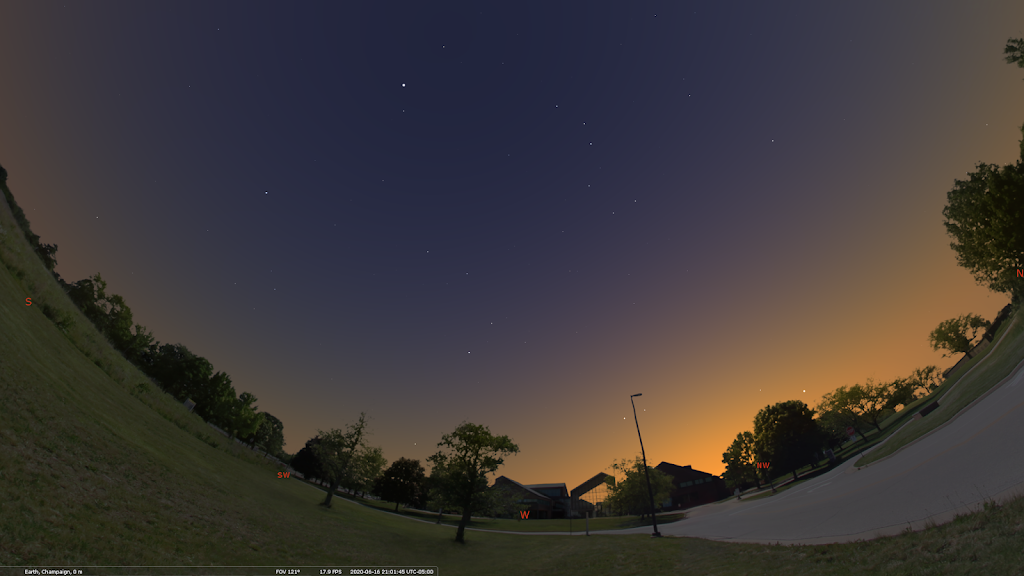
One way has been to make custom panoramas for use with Stellarium.

William M. Staerkel Planetarium             
Parkland College
Champaign-Urbana Astronomical
Society Observatory

We should be able to use them with our Digistar 6 in the dome when we are able to reopen. I like making content that can be used on different platforms

I used a DSLR with a fisheye lens on a tripod to get a good selection of overlapping images, making sure to have some shots with objects of interest centered.

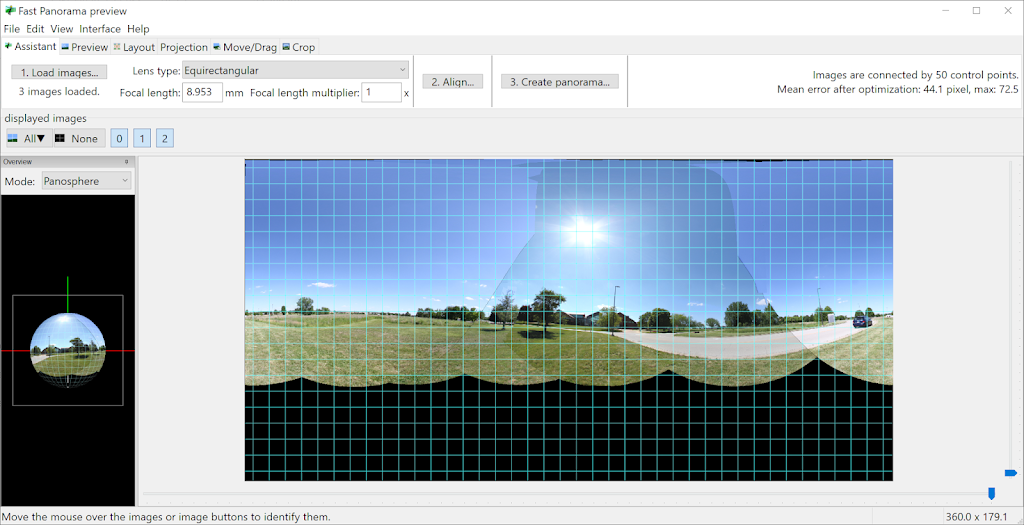
I used Hugin to stitch the images. It’s not super automatic, but there are builtin tools for aligning and for masking out troublesome spots.

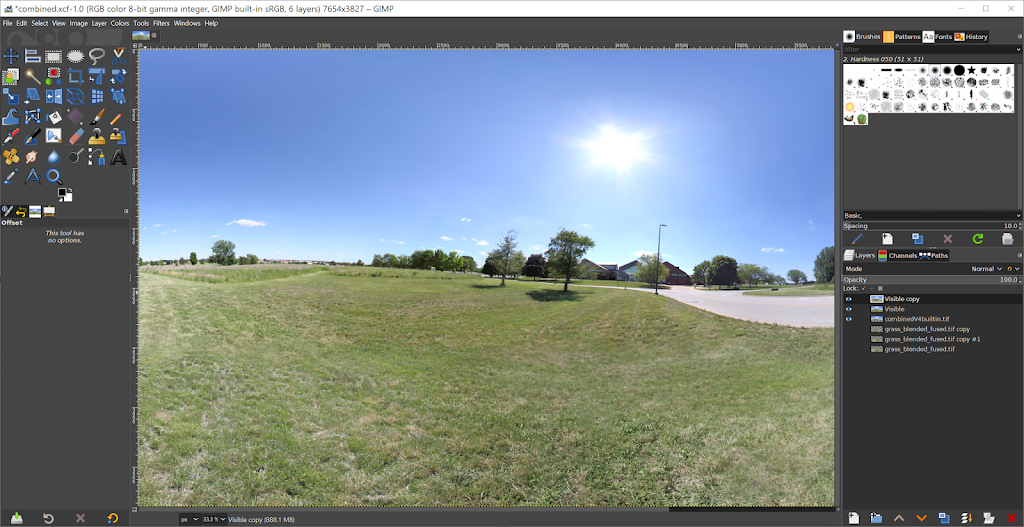
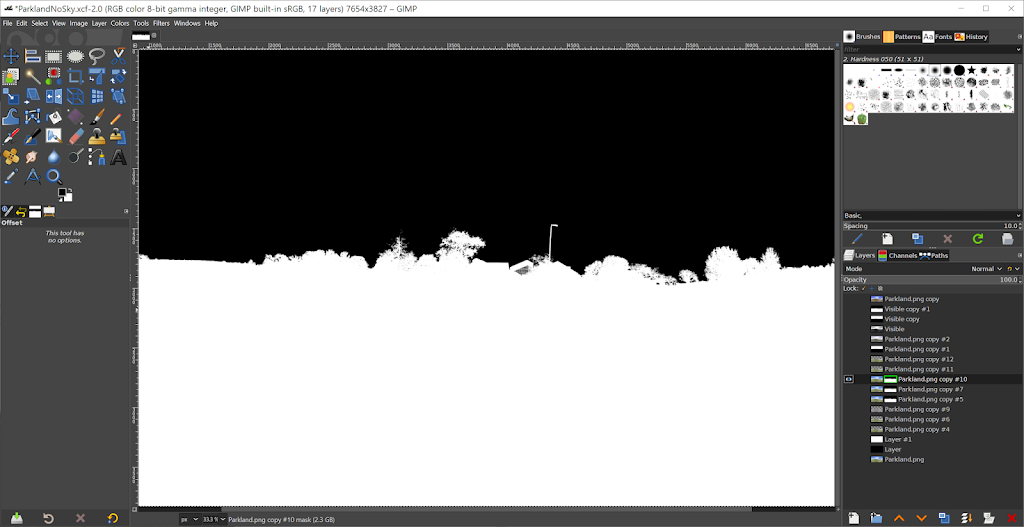
Finally, I use Gimp to fix up the nadir a bit and to get rid of the sky. I also fix up any small stitching errors that I missed earlier. Some distant power lines and light poles will end up cut in the process, but I can live with that.

It’s a messy process, but I use brightness and contrast settings and sometimes desaturation to get a nice mask. I work in smaller sections and then combine them.

And I usually have to over-mask the vegetation because I don’t have the patience to cut out around each leaf.

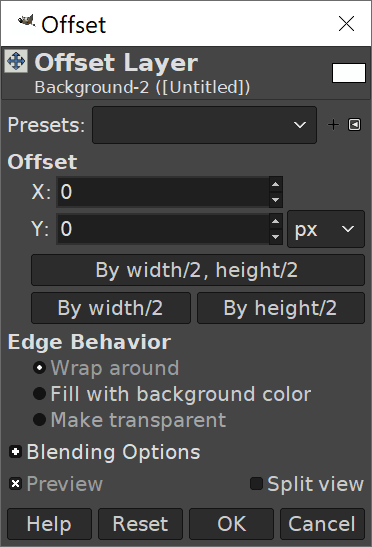
Don’t forget to check your edge seams. Layer > Transform > Offset and select “By width/2” with “wrap around” selected for Edge Behavior.

Confessions of a FOSS fangirl

My name is Waylena, and I am a FOSS fangirl. I love that FOSS is both free as in speech and free as in beer. I love that I can poke around in source code and follow developer mailing lists. I love finding FOSS production tools, techniques and workflows. And I love teaching FOSS tools to others.

I am not, however, a FOSS fundamentalist. 
At work I use a variety of closed-source software packages and tools. From the software that runs the planetarium (Digistar 6) to the usual commercial office and production tools. For production I mostly use FOSS because I’m faster with GIMP than I am with Photoshop, and faster with Inkscape than I am with Illustrator. I had finally started working heavily with After Effects before the shutdowns, but working at home I’ve been almost entirely FOSS. 
…and more, on Linux
I prefer Linux whenever possible because to me it’s usually friendlier. I am still using my Linux box, but now I’ve added a Windows 10 machine. The machine is a 2-year old gaming machine. In addition to the regular tools, I can now also run the full version of WorldWide Telescope, and OpenSpace. Openspace can be compiled for Linux, but I had not been successful at it yet. (New version should change that.) 
So now I have a second computer with a commercial OS and some FOSS tools that either aren’t available or aren’t yet readily available on my favorite FOSS OS. But that’s okay. On my Linux box there are tools like Subtitle Editor and VokoscreenNG that aren’t available for Windows. (There are alternatives, these are just my favorites at this time.)
My favorite FOSS software is both FOSS and multiplatform, but I have plenty of room in my heart toolbox for useful software tools that don’t fit neatly into any category.

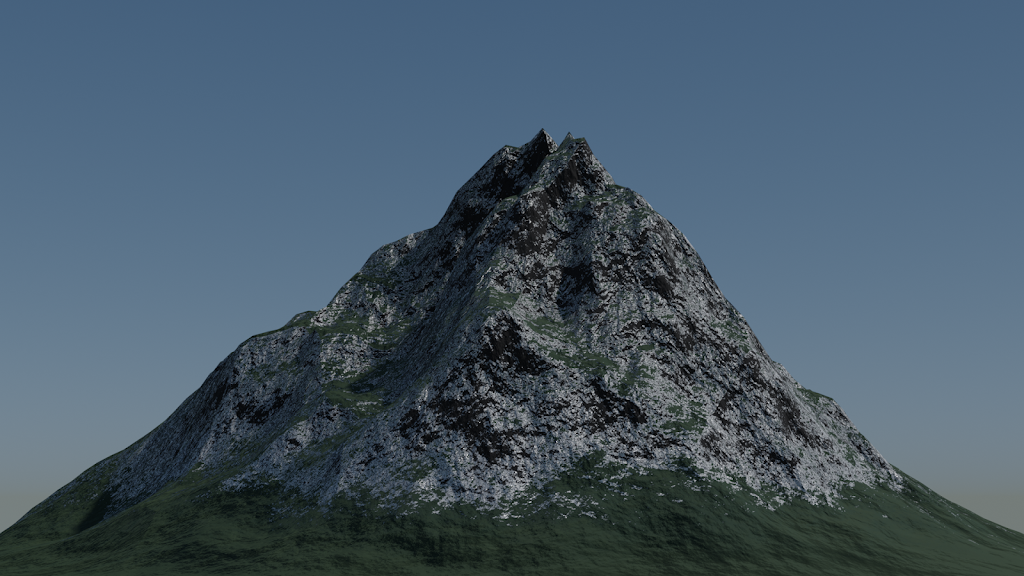
Blendpeaks free add-on for Blender from Oormi Creations

Wow. Saw this today on BlenderNation:

http://www.blendernation.com/2020/05/24/blendpeaks-create-mountain-peaks-in-blender-free-add-on/

It creates a plane and a shader setup for material and displacement. 

I made a quick test using defaults, with a default Sky Texture and the default single scene lamp:


I like it. I like it a lot. In fact, I think I might be a bit in love.

Here’s the direct link:
http://github.com/oormicreations/Blendpeaks/releases

And while you’re at it, please do check out the Oormi Creations website:
http://oormi.in/index.htm

Fractal Flames a happy mistake

I used a flame that I generated in Gimp, then converted it to the XML format using flam3-convert, then used defaults with flam3-generate and rendered with flam3-render.
I’m working on a workflow to generate some for dome use, but not random defaults.
Oh yes, I didn’t apply any processing, just strung the frames together. 

Blender Animation Nodes

There is so much great info on Blender Animation Nodes, but getting started with them can be a huge step. 

To get Animation Nodes:
Getting started guide:
I needed a tutorial to apply some theory, so I gave this one a try:
And here is my result:
I’m very pleased and I look forward to making some interesting things to put up on the planetarium dome. 

vokoscreen

How am I only now learning of vokoscreen?

vokoscreen is simple and straightforward

I’ve been a fan of OBS studio and it still is pretty amazing, but with my new microphone, a Samson Q2U USB, it is giving me headaches on my Linux laptop. It will not consistently keep settings to record video from builtin webcam and the audio from ONLY the usb mic.

I can use SimpleScreenRecorder or recrodMyDesktop if I don’t need to occasionally have the webcam video added. Both of those work extremely well.

But of course I want it all, and wherever possible I want it open source. I’m working on some video walk-throughs of interesting blend files I’ve made to help teach others who might be interested. And being able to record with the least hassle is extremely important.

It seems to be Linux-only which is sad, and I don’t even think it’s being developed any more. But for now, vokoscreen is just what I need.

Happy Waylena is happy.